
What All Those Smartphone Specs Actually Mean

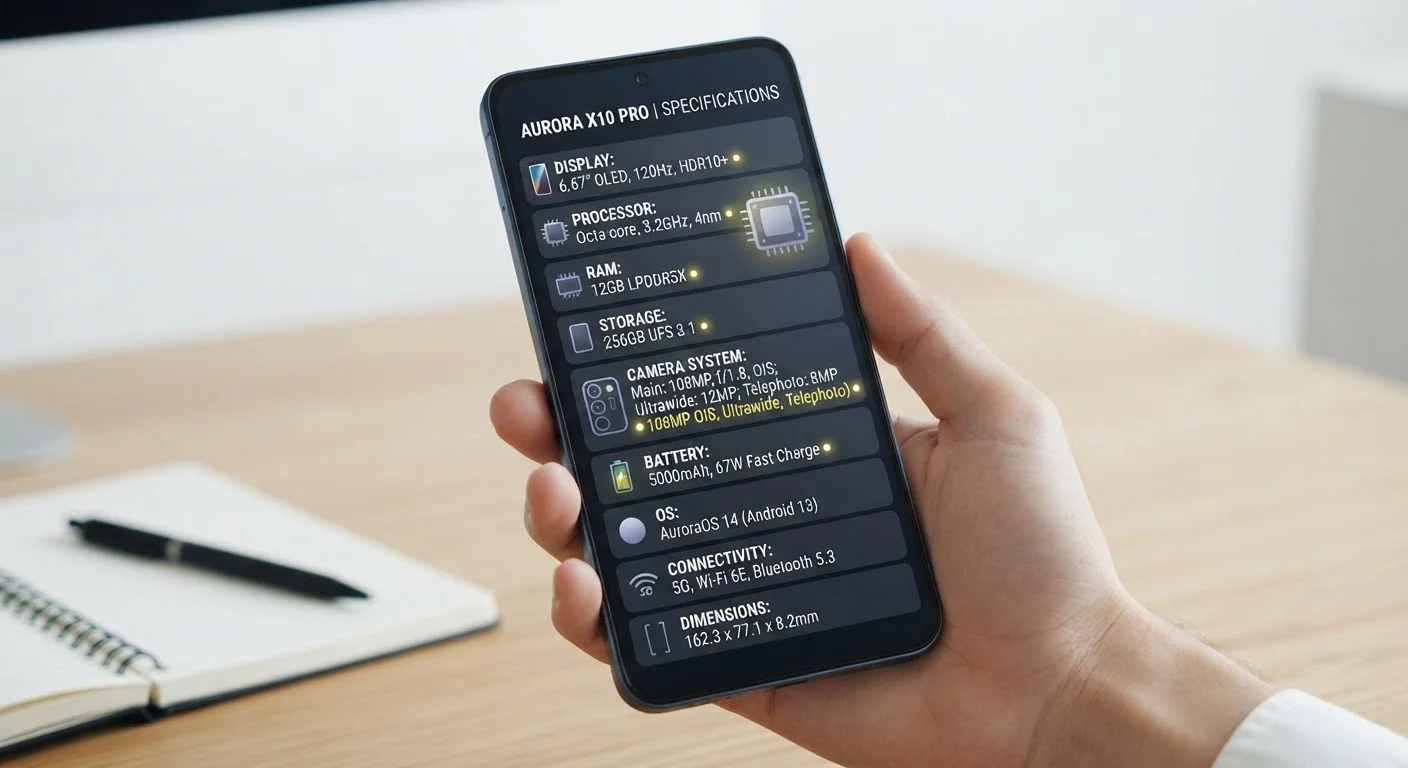
Photo: AscendWit.com | Explore Engaging Blogs. editorial
Why Spec Sheets Feel Confusing
When you look up a phone online, you're met with a wall of numbers: 6.7-inch AMOLED display, 50MP camera, 8GB RAM, 4500mAh battery, IP68, octa-core 3.2GHz processor. These specs are meant to inform, but without a decoder ring, they mostly create noise.
The good news: you don't need to understand every number - just the handful that actually predict how a phone will feel in daily use. This reference breaks down the most common spec terms into plain language so you can focus on what matters for your situation.
For a broader look at smartphone ownership decisions, see our complete smartphone ownership guide.
| Most impactful everyday spec | RAM and processor generation |
| Battery capacity unit | mAh (milliamp-hours) |
| Dust/water resistance standard | IP rating (e.g., IP68) (IEC 60529 international standard) |
| Screen brightness measured in | Nits |
| Smooth scrolling threshold | 90Hz or higher refresh rate |
Processor, RAM, and Storage: The Performance Trio
Processor (CPU/SoC): The chip that runs everything. You'll see it described with a core count (quad-core, octa-core) and a clock speed in GHz (gigahertz). Higher GHz generally means faster individual tasks; more cores help when running multiple apps at once. In practice, chip generation matters more than raw GHz - a newer chip at 2.8GHz often outperforms an older one at 3.2GHz.
RAM (Random Access Memory): Temporary working memory that keeps apps open in the background. More RAM means fewer apps need to reload when you switch between them. Most everyday users are comfortable with 6-8GB; power users who multitask heavily may notice a difference with 12GB or more.
Storage: This is where your photos, apps, and downloads actually live - permanently, until you delete them. RAM and storage are frequently confused. For a clear explanation of the difference, see Storage vs. RAM: The Difference Your Phone's Performance Depends On.
Display Specs: Size, Resolution, and Refresh Rate
Screen size is measured diagonally in inches. Larger screens are easier to read and better for media, but make the phone harder to use one-handed and affect battery life.
Resolution (e.g., 1080p, 1440p) describes how many pixels the screen contains. Higher resolution means sharper text and images. On most phone-sized displays, the difference between 1080p and 1440p is subtle in everyday use.
Refresh rate is measured in Hz (hertz) - how many times per second the screen redraws. A 60Hz screen redraws 60 times per second; 120Hz screens feel noticeably smoother when scrolling. Higher refresh rates can consume more battery.
Nits measure peak brightness. More nits mean better visibility in direct sunlight - useful if you spend a lot of time outdoors. The screen panel type (LCD, OLED, AMOLED) affects color and battery behavior too; Phone Display Technologies Compared explains the trade-offs in detail.
GHz (Gigahertz)
A measure of processor clock speed - how many billion cycles per second the chip can perform. Higher numbers often suggest faster processing, but chip architecture and generation also play a major role.
RAM
Random Access Memory. Temporary, fast-access memory that keeps apps running in the background. More RAM reduces the need for apps to reload when you switch between them.
Nits
A unit of screen brightness. A higher nit count means the display can get brighter, which improves readability in direct sunlight.
IP Rating
Ingress Protection rating. A standardized code indicating a device's resistance to dust and water. IP68, for example, means fully dust-tight and water-resistant beyond one meter.
mAh
Milliamp-hours. A measure of battery capacity - how much electrical charge it can store. Higher mAh generally correlates with longer battery life, though software and screen use also matter.
Refresh Rate (Hz)
How many times per second a display redraws its image. Higher refresh rates (90Hz, 120Hz) produce smoother-looking scrolling and animation compared to the standard 60Hz.
Camera, Battery, and Connectivity Specs
Megapixels (MP): The resolution of photos. More megapixels do not automatically mean better photos - sensor size, aperture (f-number), and software processing often matter more. A 12MP camera with a large sensor can outperform a 108MP camera with a tiny one.
Multiple lenses: Modern phones include several lenses serving different purposes - wide, ultra-wide, telephoto, and macro. The Real Reason Smartphone Cameras Have So Many Lenses Now breaks down what each one actually does.
mAh (milliamp-hours): Battery capacity. A higher mAh number generally means longer life, but software efficiency and screen brightness affect real-world results significantly. See How to Read a Phone's Battery Specs Before You Buy for a fuller picture.
IP Rating: A two-digit dust and water resistance rating (e.g., IP68). The first digit covers dust protection (6 = fully dust-tight); the second covers water (8 = submersible beyond 1 meter). An IP68 phone can handle splashes, rain, and brief submersion - but manufacturers typically don't cover water damage under warranty.
5G: The latest cellular network generation. Coverage varies widely by location and carrier. For a realistic assessment, 5G on Your Phone: Separating the Hype from What It Actually Delivers is worth reading before prioritizing 5G in your decision.
Specs Don't Tell the Whole Story
The content on this site is for informational purposes only and is not a substitute for professional advice. Always consult a qualified professional for guidance specific to your situation.