
The Real Reason Smartphone Cameras Have So Many Lenses Now

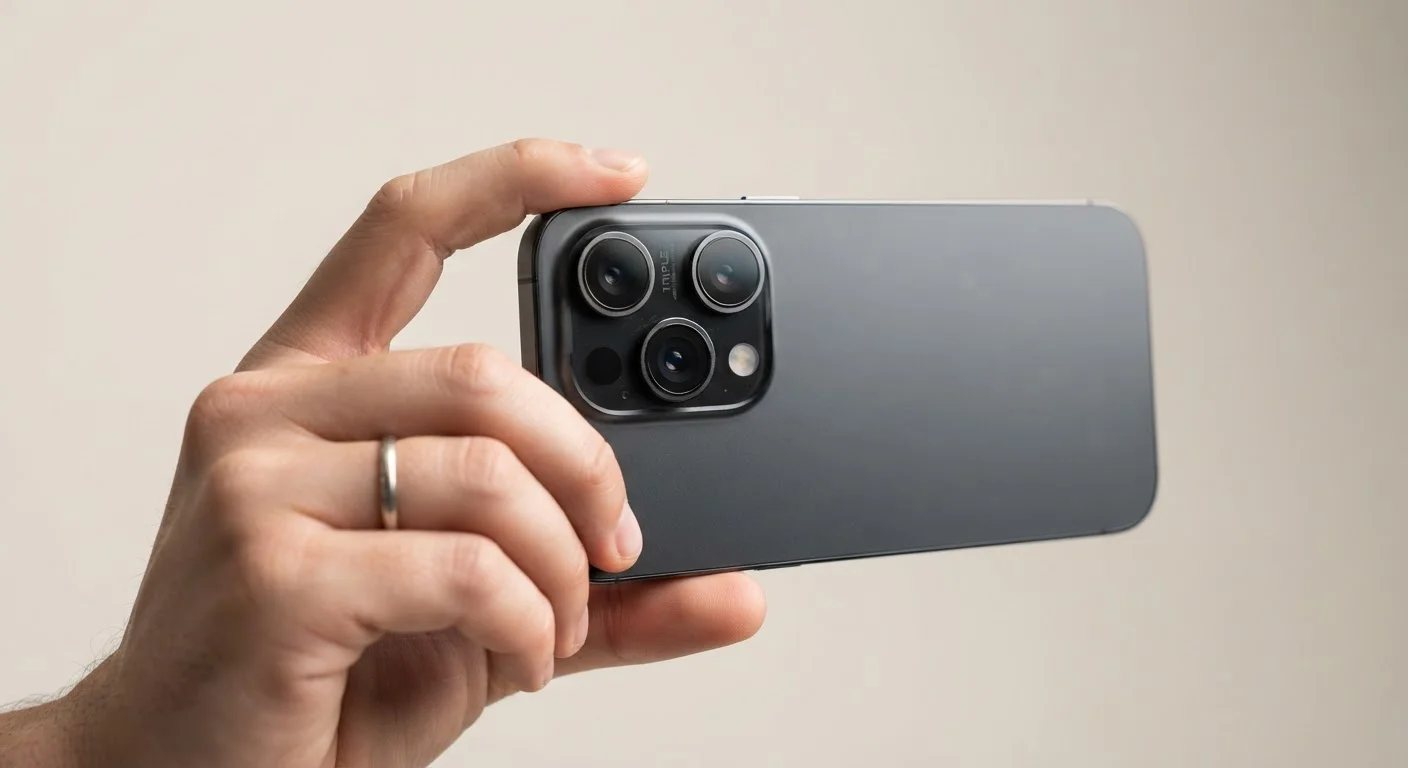
Photo: AscendWit.com | Explore Engaging Blogs. editorial
Key Takeaways
- Most smartphones now carry at least three distinct lenses, each optimized for a different shooting situation.
- The main (wide) lens is the workhorse you use for most everyday photos.
- Ultra-wide lenses capture more of a scene; telephoto lenses bring distant subjects closer without digital blurring.
- Macro lenses are designed specifically for extreme close-ups, like flowers or insects.
- More lenses don't automatically mean better photos - software processing plays an equally important role.
- Budget phones often include fewer lenses or lower-quality secondary sensors, which is a real trade-off.
Why One Lens Was Never Enough
A camera lens is a fixed piece of glass with a set field of view. A wide-angle lens sees a lot of a scene but can't bring faraway subjects close. A telephoto lens magnifies distant objects but can't fit a whole room in a single frame. For decades, photographers carried multiple lenses and swapped them as needed.
Smartphones can't do that - there's no lens mount, no room to swap, and most people don't want to carry extra gear. So engineers found a different solution: put multiple fixed lenses directly on the phone, each handling a different job. Your camera app then picks the right one automatically, or lets you choose manually.
Understanding what each lens actually does helps you take better photos and make more informed choices when evaluating a new phone. For a broader look at specs that matter, see what smartphone specs actually mean.
Breaking Down the Lenses You'll Actually Find
Most multi-camera phones follow a common pattern, with each lens filling a distinct role:
- Main (wide) lens: This is the camera you use for the vast majority of shots - portraits, outdoor scenes, street photography. It typically has the largest sensor and performs best in low light. When you open your camera app and tap the shutter, this is the lens doing the work.
- Ultra-wide lens: Activated by the 0.5× setting in most apps, this lens captures a much broader angle of view - useful for fitting a large group of people into a shot, photographing architecture, or shooting landscapes. The trade-off is slight distortion at the edges of the frame.
- Telephoto lens: A separate lens with a longer focal length, used for optical zoom. Instead of digitally cropping and enlarging an image (which causes blurring), a telephoto lens physically captures a magnified view. Common zoom levels are 3× or 5×, though some phones go much higher.
- Macro lens: Designed for extreme close-up photography - subjects just an inch or two from the camera. It lets you capture fine details like flower petals, circuit boards, or insects that a standard lens simply can't focus on at that distance.
- Depth or ToF sensor: Some phones include a small sensor specifically for measuring depth, which helps the phone separate a subject from the background when applying portrait-mode blur effects. This isn't a camera you'd use directly - it just feeds data to the software.
3-4
Lenses on a typical flagship smartphone
Most premium smartphones released in recent years ship with three to four rear-facing cameras covering wide, ultra-wide, and telephoto functions.
0.5×
Ultra-wide zoom setting in most camera apps
Tapping 0.5× in a standard camera app switches to the ultra-wide lens on phones that include one, capturing roughly twice the field of view of the main lens.
~50%
Of smartphone photos taken in portrait mode
Industry camera usage surveys suggest portrait-style shots - where background blur is applied - account for a large share of everyday smartphone photography.
Software Does as Much Work as the Glass
Hardware is only half the story. Your phone's processor runs sophisticated algorithms - often using machine learning - to blend exposures, reduce noise in low light, sharpen edges, and decide which lens to use as you zoom in or out. This is what's meant by computational photography: using software to produce results the physical glass alone couldn't achieve.
That's why two phones with the same lens count can produce noticeably different photos. The quality of image processing software matters as much as the sensor specifications on paper.
Try Manual Lens Selection for Better Results
This is also why comparing lens counts alone can be misleading. As our guide on smartphone ownership decisions explains, understanding what specs mean in practice leads to smarter choices than chasing the highest numbers.
What This Means When Choosing a Phone
If photography matters to you, it's worth thinking about which types of shooting you do most. Someone who loves travel and landscape photography will benefit from a strong ultra-wide lens. A parent photographing kids at sporting events will appreciate a capable telephoto. For most everyday use, the quality of the main lens and the software processing behind it will matter more than how many secondary lenses a phone carries.
Budget phones sometimes list three or four cameras as a feature, but secondary lenses on lower-cost models can have smaller sensors and produce noticeably softer images than their specs suggest. It's a known trade-off - one covered in detail in our look at what budget smartphones compromise on.
Finally, remember that the best camera is the one you actually use well. Learning when to tap the 0.5× or 3× option in your camera app - rather than leaving everything on auto - puts the full capability of your phone's lens system to work. For more on getting the most from your device long-term, see our guide on making a smartphone last.
Frequently Asked Questions
The content on this site is for informational purposes only and is not a substitute for professional advice. Always consult a qualified professional for guidance specific to your situation.