
Storage vs. RAM: The Difference Your Phone's Performance Depends On

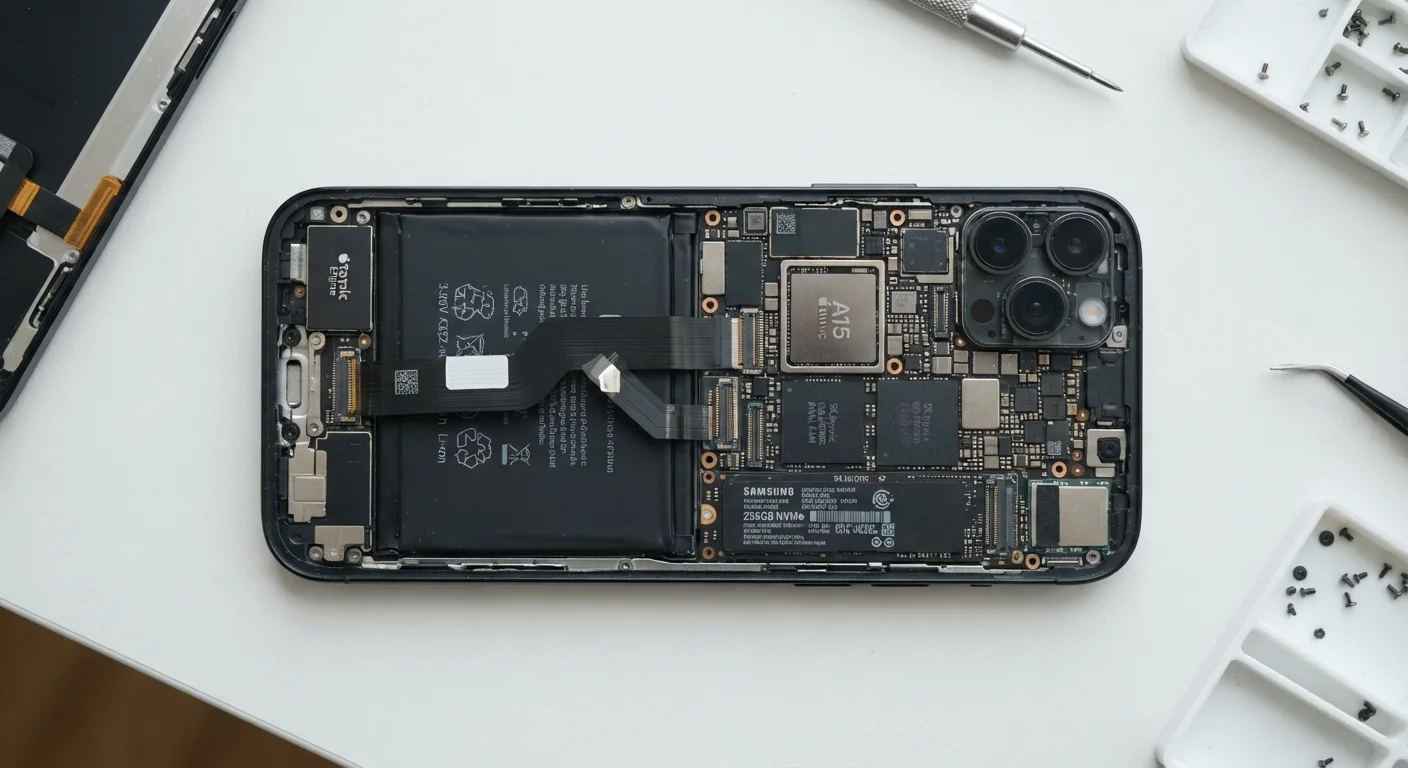
Photo: AscendWit.com | Explore Engaging Blogs. editorial
Key Takeaways
- Storage holds your files and apps permanently; RAM keeps active tasks running in the moment.
- Low RAM causes sluggish multitasking and app crashes; low storage prevents installing new apps or saving photos.
- Most everyday users do well with 128GB of storage and at least 6GB of RAM.
- You can often expand storage with a memory card, but RAM cannot be upgraded after purchase.
- Both specs matter - optimizing for only one can leave your phone feeling underpowered.
Two Different Jobs Inside the Same Device
Walk into any phone retailer and you'll see spec listings like "128GB / 8GB RAM." For many shoppers, those numbers blur together - both sound like "memory," so the bigger one must be better, right? Not exactly. Storage and RAM perform completely different roles, and understanding that difference helps you choose a phone that actually fits how you use it.
Storage is your phone's permanent filing cabinet. Every photo you snap, every app you download, every song saved for offline listening - it all lives in storage. The contents stay put whether your phone is on, off, or restarting. Think of it like the hard drive in a laptop.
RAM (Random Access Memory) is more like your phone's work desk. It temporarily holds whatever you're actively doing - the app you have open, the webpage you're reading, the game you're playing. When you close an app, that RAM frees up for the next task. More desk space means you can spread out more projects at once without constantly shuffling papers. For a deeper dive into other spec terms, see what all those smartphone specs actually mean.
| Criterion | Storage | RAM |
|---|---|---|
| What it holds | Apps, photos, files, videos | Active tasks and open apps |
| Permanence | Data stays when phone is off | Clears when apps close or restart |
| Typical amounts | 64GB - 1TB | 4GB - 16GB |
| Upgradeable after purchase? | Often yes, via microSD card | No - fixed at manufacture |
| Low-supply symptom | Can't save files or install apps | Apps crash or reload constantly |
| Who feels the impact most | Photographers, offline media fans | Multitaskers, gamers, power users |
How Each One Affects Your Daily Experience
The practical impact of each spec shows up in very different situations.
When storage runs low, your phone will refuse to install new apps, warn you before taking photos, and may begin to slow down because the operating system needs a small buffer of free space to function well. You'll spend time deleting old files rather than using your device.
When RAM is insufficient, you'll notice apps reloading from scratch every time you switch back to them, more frequent crashes, and general sluggishness when several things are running at once. This is especially noticeable when streaming music while browsing social media or video calling while checking a map.
128GB
Recommended baseline storage for most users
Industry analysts and consumer tech publications consistently cite 128GB as the practical sweet spot for typical smartphone use in 2024.
6GB+
RAM threshold for smooth multitasking
Device reviewers and mobile OS engineers generally note that 6GB of RAM provides reliable performance for everyday multitasking on current Android and iOS platforms.
3-4 years
Average US smartphone ownership period
According to Consumer Intelligence Research Partners (CIRP), the average American holds on to a smartphone for roughly three to four years before replacing it.
One key distinction: storage is often expandable. Many Android phones accept a microSD card - a tiny removable card that adds gigabytes of extra space at a relatively modest cost. RAM, however, is soldered directly to your phone's motherboard. There is no upgrade path. The RAM you buy is the RAM you keep for the life of the device. This makes RAM worth extra attention at the point of purchase. The reasons your phone slows down over time often trace back to apps demanding more RAM than a device originally had headroom to spare.
How Much of Each Do You Actually Need?
General guidance varies by how you use your phone, but here are widely accepted starting points for most consumers in the US market:
- Storage: 64GB is a functional minimum, but 128GB is a more comfortable baseline for most people. Heavy photographers, gamers, or those who download a lot of content may want 256GB or more. If a phone supports microSD cards, a lower base storage option becomes less limiting.
- RAM: 4GB is workable for basic tasks, but can feel strained with modern app demands. 6GB handles everyday multitasking reliably. 8GB or more future-proofs the device and suits power users, mobile gamers, or those who want the phone to stay fast over several years.
Budget-oriented phones often make trade-offs in both areas. Understanding those trade-offs before you buy prevents regret later. What budget phones sacrifice in specs is often RAM first, which can shorten how long the device feels capable. For a broader look at every decision involved in smartphone ownership, the complete guide to smartphone ownership covers costs, upgrade timing, and more.
iPhones Don't Use microSD Cards
The content on this site is for informational purposes only and is not a substitute for professional advice. Always consult a qualified professional for guidance specific to your situation.