
Phone Display Technologies Compared: LCD, OLED, and AMOLED

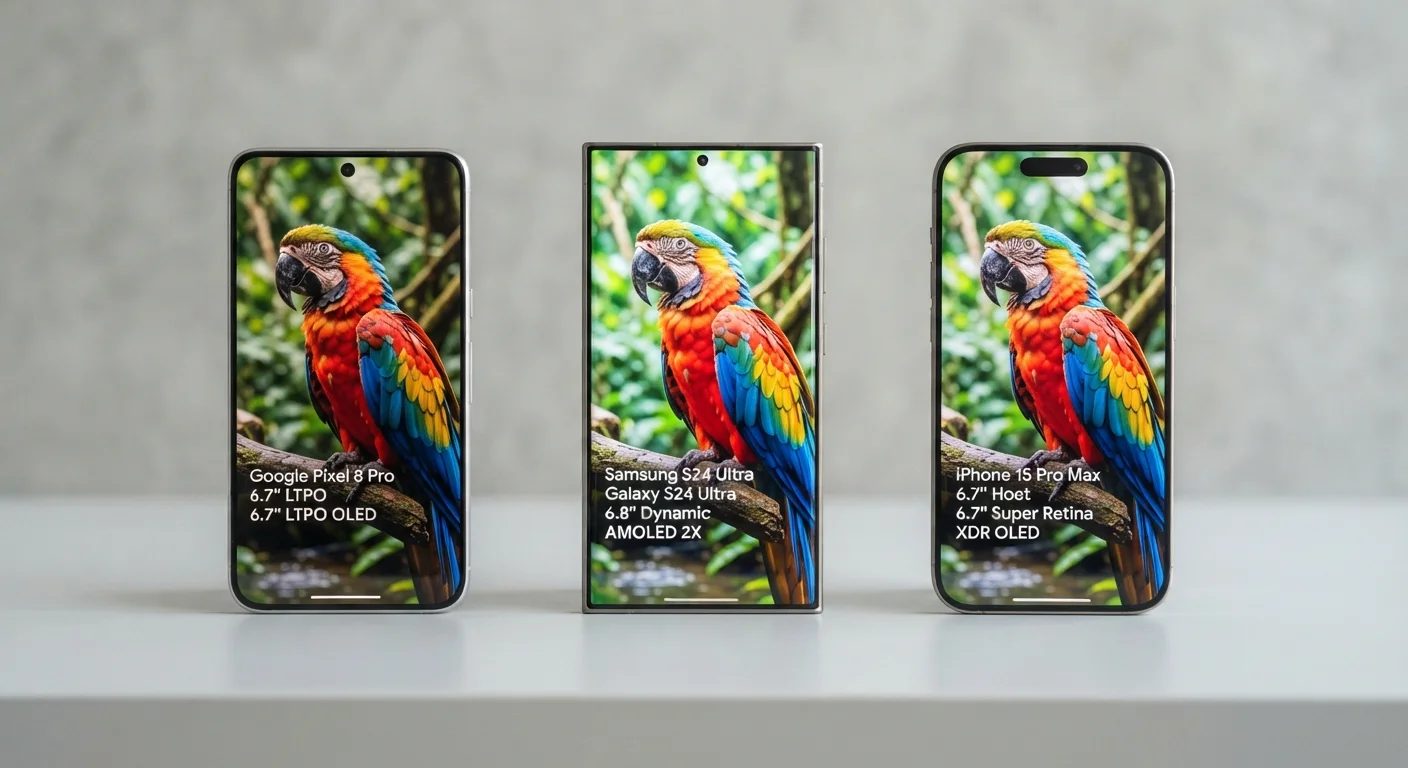
Photo: AscendWit.com | Explore Engaging Blogs. editorial
Key Takeaways
- LCD screens use a backlight behind pixels, while OLED and AMOLED pixels produce their own light.
- OLED and AMOLED displays can show true black by turning off individual pixels, saving battery life.
- LCD panels generally hold up better over time without the burn-in risk that can affect OLED screens.
- AMOLED is a refined version of OLED, typically offering faster refresh rates and thinner panels.
- Your use habits - outdoor reading, media watching, or heavy app use - should guide your display choice.
How Each Display Technology Actually Works
Understanding what's happening inside your screen makes the differences between display types much easier to grasp.
LCD (Liquid Crystal Display) works like a window shade. A backlight - a layer of white light - sits behind the screen at all times. Tiny liquid crystals shift to block or allow that light through, creating the image you see. A color filter adds hues to each pixel. Because the backlight is always on, true black is difficult to achieve - the screen can only dim the light, not eliminate it.
OLED (Organic Light-Emitting Diode) works differently: each pixel generates its own light using an organic compound. When a pixel needs to display black, it simply turns off entirely. This produces the deep, inky blacks OLED screens are known for, and it means the display draws no power for those off pixels.
AMOLED (Active Matrix OLED) is a specific type of OLED built with an active matrix of transistors that controls each pixel individually and rapidly. Think of AMOLED as an upgraded version of standard OLED - faster, thinner, and capable of higher refresh rates. Most flagship phones using OLED today technically use AMOLED or its derivatives (Super AMOLED, Dynamic AMOLED, etc.).
For a broader look at how display specs like nits and refresh rates fit the full picture, see our plain-language breakdown of smartphone specs.
Side-by-Side: How They Perform Where It Matters
Knowing the technical basics is one thing - understanding how each display behaves in daily use is what really helps you decide.
| LCD | OLED | AMOLED | |
|---|---|---|---|
| Black levels | Dim gray (backlight bleeds) | True black (pixels off) | True black (pixels off) |
| Color vibrancy | Accurate, less saturated | Rich, can appear oversaturated | Rich, tunable on most devices |
| Battery use (dark content) | No savings; backlight always on | Significant savings | Significant savings |
| Burn-in risk | Very low | Moderate over years | Moderate over years |
| Outdoor brightness | Generally strong | Variable by model | Strong on flagships |
| Panel thinness | Thicker (requires backlight) | Thin | Thinnest |
| Typical price tier | Budget to mid-range | Mid-range to flagship | Mid-range to flagship |
A few details worth expanding on:
- Contrast and color: OLED and AMOLED produce visibly richer colors and deeper blacks than LCD, especially noticeable when watching movies or using a dark theme. Some users find OLED colors oversaturated; many manufacturers now offer a "natural" mode to tone this down.
- Outdoor readability: LCD screens, especially those with high peak brightness, can be easier to read in direct sunlight because they don't rely on pixel-level dimming. AMOLED screens have closed this gap considerably in recent years.
- Burn-in risk: OLED and AMOLED pixels can degrade unevenly over years of displaying static images (like a navigation bar or keyboard). This is called burn-in. It's less common on modern panels but remains a real consideration for long-term use.
Try Dark Mode to Test Your Screen Type
Battery Life and Brightness: The Trade-Offs
Battery impact is one of the most practical differences between these display types.
Because LCD backlights run continuously, they consume a relatively consistent amount of power regardless of what's on screen. OLED and AMOLED panels, however, draw power proportional to how bright each pixel needs to be. A dark-themed app on an AMOLED screen genuinely uses less battery than a white-background app - the opposite is true for LCD, where the backlight burns the same either way.
~20-30%
Estimated battery savings with dark mode on OLED
Google engineers have reported that fully dark UI elements can reduce display power draw by roughly 20-30% on OLED screens at high brightness settings.
1,000+ nits
Peak brightness on many modern AMOLED flagships
Several current flagship phones advertise peak brightness exceeding 1,000 nits, narrowing the outdoor readability gap that once favored LCD panels.
Brightness follows a similar trade-off. LCD screens have improved dramatically and many now exceed 1,000 nits of peak brightness, which is helpful outdoors. AMOLED screens can hit very high peak brightness for short bursts but may throttle sustained brightness to protect the organic compounds from early degradation.
If battery longevity and overall phone lifespan are priorities for you, our guide to extending your smartphone's life covers charging habits and screen settings that make a real difference.
Which Display Type Fits Your Life?
Rather than hunting for a single "best" screen, think about which trade-offs fit your actual habits.
- If you spend a lot of time outdoors or in brightly lit spaces, a high-brightness LCD or a top-tier AMOLED both serve well. Look at peak nit ratings in the specs.
- If you stream video or use dark mode regularly, OLED and AMOLED provide noticeably better contrast and richer visuals - and can stretch your battery when paired with a dark theme.
- If you keep phones for many years, LCD may age more predictably without burn-in concerns. Budget-tier phones with LCD panels are also widely available and durable.
- If thin hardware and fast refresh matter, AMOLED panels allow for slimmer devices and high refresh rates (90Hz, 120Hz) that make scrolling feel smoother.
Display type is just one part of the smartphone puzzle. For a thorough look at how all your phone decisions connect - from specs to when to upgrade - visit our complete guide to smartphone ownership. You can also explore more everyday gadget guides in our dedicated section.
The content on this site is for informational purposes only and is not a substitute for professional advice. Always consult a qualified professional for guidance specific to your situation.