
How to Read a Phone's Battery Specs Before You Buy

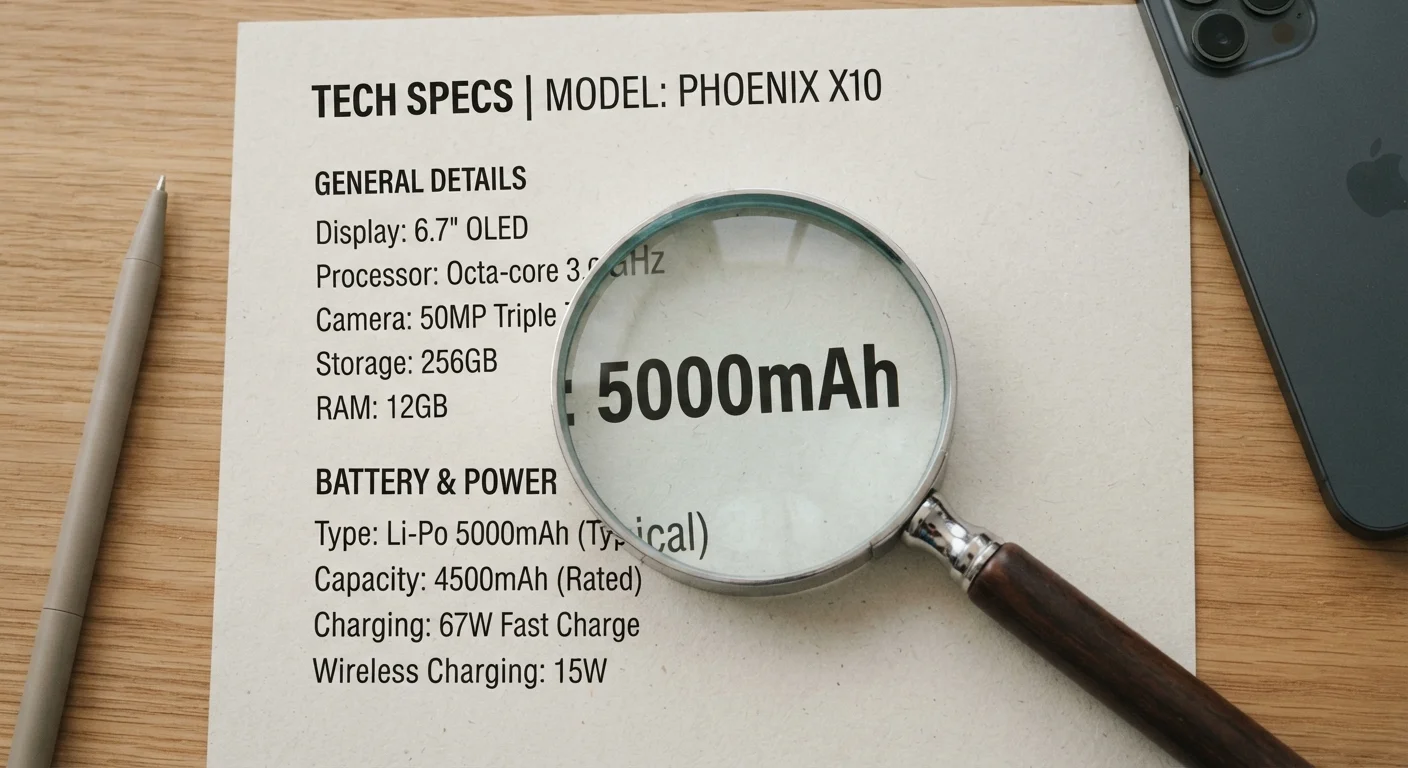
Photo: AscendWit.com | Explore Engaging Blogs. editorial
Key Takeaways
- mAh measures battery size, but not how long a phone will actually last on one charge.
- Screen resolution, processor efficiency, and software all affect real-world battery drain.
- Manufacturer-stated battery life is measured under ideal conditions, not typical daily use.
- Charging speed (measured in watts) is a separate spec from capacity and worth checking.
- Third-party endurance tests give a more accurate picture than official specs alone.
Why mAh Doesn't Tell the Whole Story
When shoppers compare phones, the battery capacity - expressed in milliampere-hours, or mAh - is usually the first number they reach for. A higher mAh means a bigger battery, and a bigger battery should last longer, right? Not necessarily.
Think of mAh as the size of a gas tank. A large tank helps, but fuel economy depends on how efficiently the engine burns that fuel. A phone's "fuel economy" is shaped by its processor, display, software, and even how you use it. A phone with a 5,000 mAh battery can easily outlast one with a 4,400 mAh battery - or fall short of it - depending on those factors.
This is similar to how official fuel economy ratings rarely match what drivers experience day-to-day, as explained in our article on real-world MPG figures. The spec exists for comparison purposes, but real-world results vary widely.
Use mAh as a Starting Point Only
The Factors That Actually Determine Battery Life
Before evaluating any battery spec, understand the four variables that drive real-world drain:
- Processor efficiency: Modern chips are built on different process nodes (measured in nanometers - smaller generally means more efficient). A newer, more efficient chip draws less power to do the same work, stretching battery life even if the mAh number looks modest.
- Display size and resolution: Screens are the biggest power consumers on most phones. A large, high-resolution display running at a high refresh rate (like 120Hz) burns significantly more energy than a smaller, lower-resolution screen. Check whether a high refresh rate can be set to adaptive or turned down.
- Software and background activity: Bloated software, poorly optimized apps, and aggressive background processes drain batteries faster than the hardware specs suggest. This is also part of why phones feel slower over time - as covered in our piece on why phones slow down.
- Connectivity: Constant 5G connectivity, GPS, and Bluetooth all draw power. Some phones manage these more intelligently than others.
For a broader look at what spec-sheet numbers actually mean, see our plain-language smartphone specs guide.
Manufacturer Battery Claims Are Optimistic
How to Evaluate Battery Specs Step by Step
Use these steps when comparing phones in a store, on a spec page, or through a carrier's website.
Note the mAh capacity as a baseline
Record the stated battery capacity. For most smartphones sold today, anything below 4,000 mAh warrants extra scrutiny. Above 5,000 mAh is generally a strong indicator of all-day endurance - but treat it as a starting point, not a conclusion.
Check the display specs alongside battery size
Look at the screen size (inches), resolution, and refresh rate. A 6.7-inch OLED panel at 120Hz will draw considerably more power than a 6.1-inch LCD at 60Hz. If the phone offers an adaptive refresh rate - automatically dropping from 120Hz to 60Hz or lower when content is static - that's a meaningful efficiency gain.
Look up the processor generation
Search the chip model name (e.g., the processor listed in the specs) along with the word "efficiency" or "benchmark" to find independent assessments. Newer chip generations from major manufacturers tend to deliver better battery performance than older ones, even at similar mAh ratings.
Read the manufacturer's rated battery life - critically
Manufacturers typically state battery life in hours of video playback or calls under controlled conditions: screen brightness reduced, no background apps, strong Wi-Fi signal. Real-world use - social media, navigation, photography - will produce a shorter result. Treat official figures as an optimistic ceiling, not a promise.
Seek out independent endurance test results
Several technology publications run standardized battery endurance tests that simulate web browsing, video streaming, and phone calls at consistent brightness and connectivity settings. These third-party results are far more comparable across devices than manufacturer claims. Search the phone's name alongside "battery endurance test" or "battery life review" before making a decision.
Confirm the charging speed and what's included
Find the maximum wired charging wattage and whether wireless charging is supported. Then check retailer listings or the manufacturer's box contents page to confirm whether a compatible fast charger is in the box. A 65W charging rating means little if you're supplied with an 18W brick.
Charging Speed: The Other Battery Spec Worth Knowing
Capacity tells you how much charge a battery holds; charging speed tells you how fast it refills. This is measured in watts (W). A phone rated at 65W will recharge far faster than one rated at 18W, which matters if you frequently top up mid-day rather than charging overnight.
Wireless charging is typically slower than wired charging, so if you rely on a wireless pad, check both figures. Also confirm whether a fast charger is included in the box - many manufacturers no longer include one, meaning the advertised watt rating requires a separately purchased adapter.
If you've ever wondered why charging sometimes feels sluggish even with a fast charger, our article on why phones charge slowly breaks down the real causes. And once you own a phone, good charging habits matter: see habits that extend a smartphone's life for practical guidance.
For a complete framework on evaluating smartphones - beyond just battery - the complete smartphone ownership guide is a useful companion resource.
The content on this site is for informational purposes only and is not a substitute for professional advice. Always consult a qualified professional for guidance specific to your situation.