
Modem vs. Router: Two Devices That Are Easy to Confuse

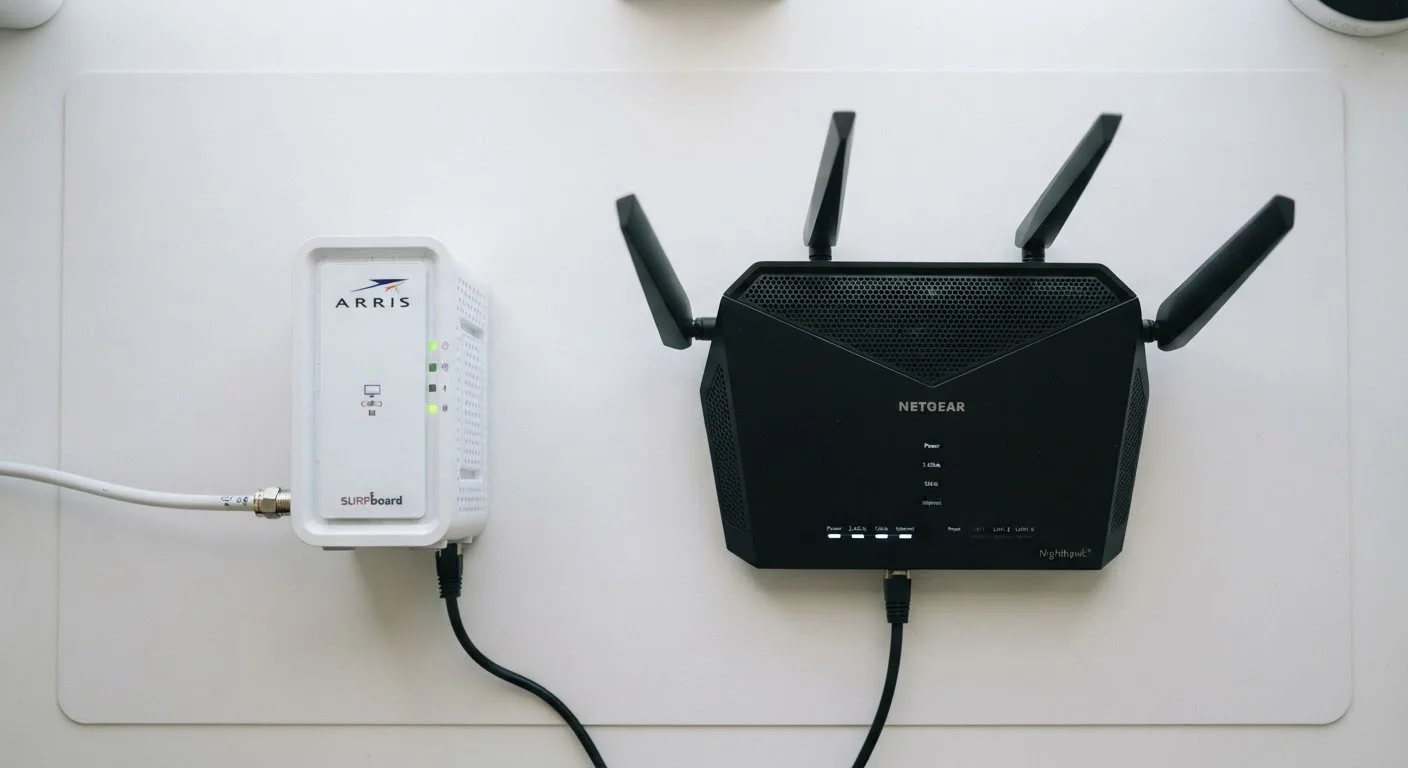
Photo: AscendWit.com | Explore Engaging Blogs. editorial
Key Takeaways
- A modem connects your home to your internet provider; a router shares that connection among your devices.
- You need both devices for a typical home Wi-Fi network - they serve completely different functions.
- Many ISPs rent combination modem-router units, but buying separate devices can offer more flexibility.
- Upgrading your router improves Wi-Fi coverage; upgrading your modem can affect maximum available speeds.
- Your internet provider must approve or supply any modem you use on their network.
What Each Device Actually Does
The confusion between modems and routers is understandable - both are small boxes that sit near each other and relate to your internet. But they perform fundamentally different jobs.
A modem (short for modulator-demodulator) is the device that talks directly to your internet service provider (ISP). It translates the signal coming through your cable line, phone line, or fiber connection into a digital signal your home equipment can use. Without a modem, there's no internet entering your home at all. To learn more about how different ISP technologies deliver that signal, see how DSL, cable, fiber, and fixed wireless each reach your home.
A router is the device that takes that single internet connection from the modem and distributes it among multiple devices - your phone, laptop, smart TV, and anything else connected to your network. It also creates your home's local network, manages traffic between devices, and provides the Wi-Fi signal you connect to wirelessly.
Think of it this way: the modem is the pipe bringing water into your house; the router is the plumbing system that sends it to every tap.
| Criterion | Modem | Router |
|---|---|---|
| Primary job | Connects home to ISP | Distributes connection to devices |
| Creates Wi-Fi | No | Yes |
| Connects to | ISP line (cable, fiber, DSL) | Modem via ethernet |
| Must be ISP-approved | Yes | Generally no |
| Affects maximum speed | Yes | Yes (internally) |
| Manages home network | No | Yes |
| Can work without the other | Only for single wired device | No - needs modem upstream |
Why Both Devices Matter for Your Network
Because each device has a distinct role, problems with each show up differently. Slow or unstable speeds that affect all devices equally often point to a modem issue - or your ISP plan itself. Weak Wi-Fi, dead zones, or devices dropping off the network typically point to the router.
~65%
US households with home Wi-Fi networks
According to Pew Research Center surveys, a strong majority of US adults use home broadband, with Wi-Fi as the primary means of access across devices.
2-in-1
Gateway units combine modem and router
Many ISPs supply combo gateway devices; understanding the trade-offs helps households decide whether separate equipment better fits their needs.
Many ISPs provide a combination unit - sometimes called a gateway - that packages both functions in one box. These are convenient, but they sometimes offer less flexibility and performance than purchasing separate, dedicated devices. If you're curious about common assumptions around renting versus owning equipment, home internet myths worth questioning covers this topic in detail.
One important constraint: your modem must be compatible with and approved by your ISP. Not every modem works on every network type. A cable modem won't function on a fiber connection, for instance. Always verify compatibility with your provider before making any equipment changes.
Fiber Connections Work Differently
Setting Up or Upgrading Your Equipment
When both devices are separate, the setup order matters. The modem connects directly to your ISP's incoming line (coaxial cable, phone line, or fiber terminal), then the router plugs into the modem via an ethernet cable. The router handles everything after that point - Wi-Fi passwords, network names, and device management.
For a full walkthrough, setting up a new home router without calling tech support covers placement, password setup, and basic security configuration step by step.
If you're new to all of this, home networking from scratch is a useful starting point that covers the full picture - equipment, key concepts, and decisions - before you buy or change anything. Understanding whether your current connection type (cable, fiber, DSL) is the right fit for your household is also worth exploring; fiber vs. cable internet breaks that down clearly.
Once you know what each device does and which one is responsible for which part of your connection, troubleshooting becomes far less frustrating - and you'll know exactly where to focus if something goes wrong.
The content on this site is for informational purposes only and is not a substitute for professional advice. Always consult a qualified professional for guidance specific to your situation.