
Home Networking From Scratch: A Starting Point for Non-Technical Households

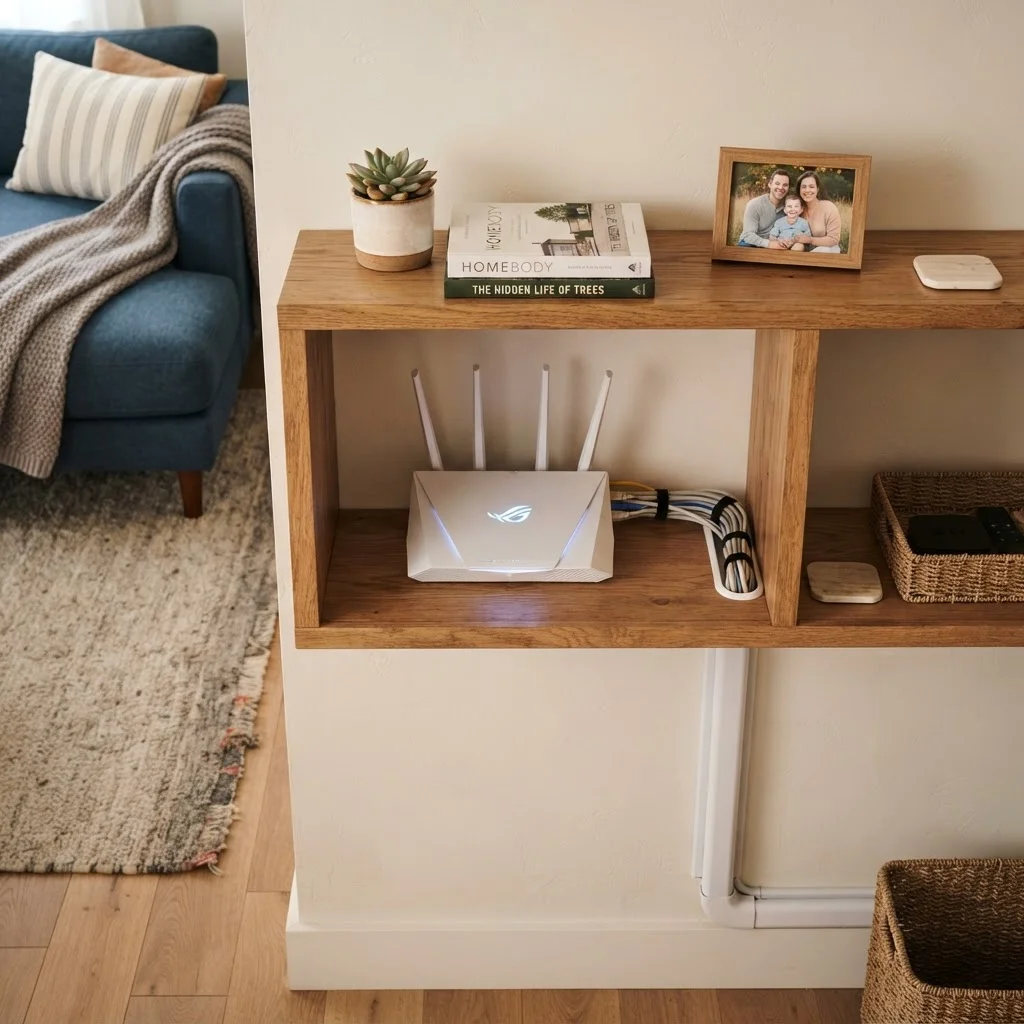
Photo: AscendWit.com | Explore Engaging Blogs. editorial
Key Takeaways
- A home network connects all your devices to the internet through a single service and router.
- Your modem and router are different pieces of equipment that serve distinct roles.
- Wi-Fi is convenient but wired connections are generally faster and more stable.
- Router placement significantly affects wireless coverage throughout your home.
- Setting a strong Wi-Fi password is one of the most important security steps you can take.
What a Home Network Actually Is
A home network is simply a system that lets all the devices in your home - phones, laptops, tablets, smart TVs - share a single internet connection. Think of it like indoor plumbing: your internet service is the water supply, and your network is the pipes that route it to every tap in the house.
Every time a device connects to the internet at home, it is using your home network, whether you set it up intentionally or not. Understanding what is happening under the hood makes it much easier to troubleshoot problems, improve performance, and keep your connection secure.
Internet Service Provider (ISP)
The company that sells you internet access - examples include cable companies and phone carriers. They deliver the raw internet signal to your home.
Modem
A device that connects your home to your ISP's network. It converts the incoming internet signal into a format your home devices can use.
Router
A device that distributes your internet connection to multiple devices in your home, either wirelessly (Wi-Fi) or through physical cables.
Wi-Fi
A wireless technology that lets devices connect to your home network without cables. It uses radio signals broadcast from your router.
Ethernet
A standard type of network cable used to connect devices directly to a router or switch. Ethernet connections are typically faster and more stable than Wi-Fi.
Bandwidth
The maximum amount of data your internet connection can carry at once. More bandwidth means more devices can do data-heavy tasks simultaneously without slowing each other down.
The Equipment You Need to Know About
Two pieces of hardware do most of the work in a typical home network:
- Modem: This device connects your home to your internet service provider (ISP). It translates the signal coming in from outside - through a cable, phone line, or fiber connection - into something your devices can use.
- Router: This device takes the internet signal from the modem and shares it with your devices, either through Wi-Fi or physical cables. It also acts as a traffic controller, managing which data goes where.
Many ISPs supply a single combined unit that functions as both modem and router. This is convenient, but some households choose to use separate devices for greater flexibility. If you are just starting out, a combined unit is perfectly reasonable.
You may also encounter network switches (which add extra wired ports) and Wi-Fi extenders or mesh systems (which expand wireless coverage in larger homes). These are optional additions, not requirements for a basic setup.
Check What Your ISP Provides First
Wired vs. Wireless: What's the Difference?
Devices can join your home network in two ways: over Wi-Fi (wirelessly) or through an Ethernet cable (wired). Both work, but they have different strengths.
| Connection Type | Strengths | Limitations |
|---|---|---|
| Wi-Fi | No cables needed; convenient for phones, tablets, and laptops | Signal weakens with distance and walls; can get congested |
| Ethernet (wired) | Faster, more stable, less affected by interference | Requires a cable run to each device; less flexible |
For devices that stay in one place - like a desktop computer, a gaming console, or a smart TV - a wired connection is often worth the minor inconvenience of running a cable. For everything you carry around, Wi-Fi is the practical choice.
Wi-Fi Signal and Building Materials
Key Decisions Before You Set Anything Up
Before plugging in a single cable, it helps to think through a few practical questions:
- Where will your router live? A router placed in a closet or corner will serve far fewer rooms effectively than one positioned in a central area of your home. Higher placement (on a shelf rather than the floor) also helps coverage.
- How many devices will be connected? Households with many simultaneous users - multiple video streams, video calls, and gaming - benefit from faster internet plans and routers designed for higher device counts.
- Will you use the ISP's equipment or your own? Renting hardware from your provider is easier upfront, but purchasing your own router can offer more features and control. There is no single right answer - weigh the tradeoffs based on your comfort level.
- What is your security plan? Setting a strong, unique Wi-Fi password before anyone connects is essential. You should also change the router's administrative username and password from the factory defaults.
If connecting your devices and managing a smartphone is on your list, understanding your home network is a useful foundation for all of it.
Your Next Steps
Once you have a clear picture of the basics, you are ready to move into the actual setup process. Our guide on setting up a new home router walks through the physical connections, placement decisions, and initial configuration in plain, step-by-step language - no technical background required.
After your network is running, the next priority is keeping it that way. Our article on keeping your home network secure and reliable covers password practices, managing connected devices, and simple habits that prevent common problems.
Home networking is one of those topics that feels intimidating at first glance but becomes manageable once you know what each piece does. You do not need to master every detail - you just need enough understanding to make confident decisions and know when to ask for help.
Router Setup Step-by-Step Guide
Our plain-language walkthrough for connecting and configuring a home router covers placement, password setup, and basic security - no technical experience needed.
Home Network Security and Reliability Guide
Practical habits and straightforward steps to keep your home network running safely and dependably over the long term, from password management to device oversight.
Frequently Asked Questions
The content on this site is for informational purposes only and is not a substitute for professional advice. Always consult a qualified professional for guidance specific to your situation.