
Smartphones Explained

What to Check Before Switching Carriers and Keeping Your Phone

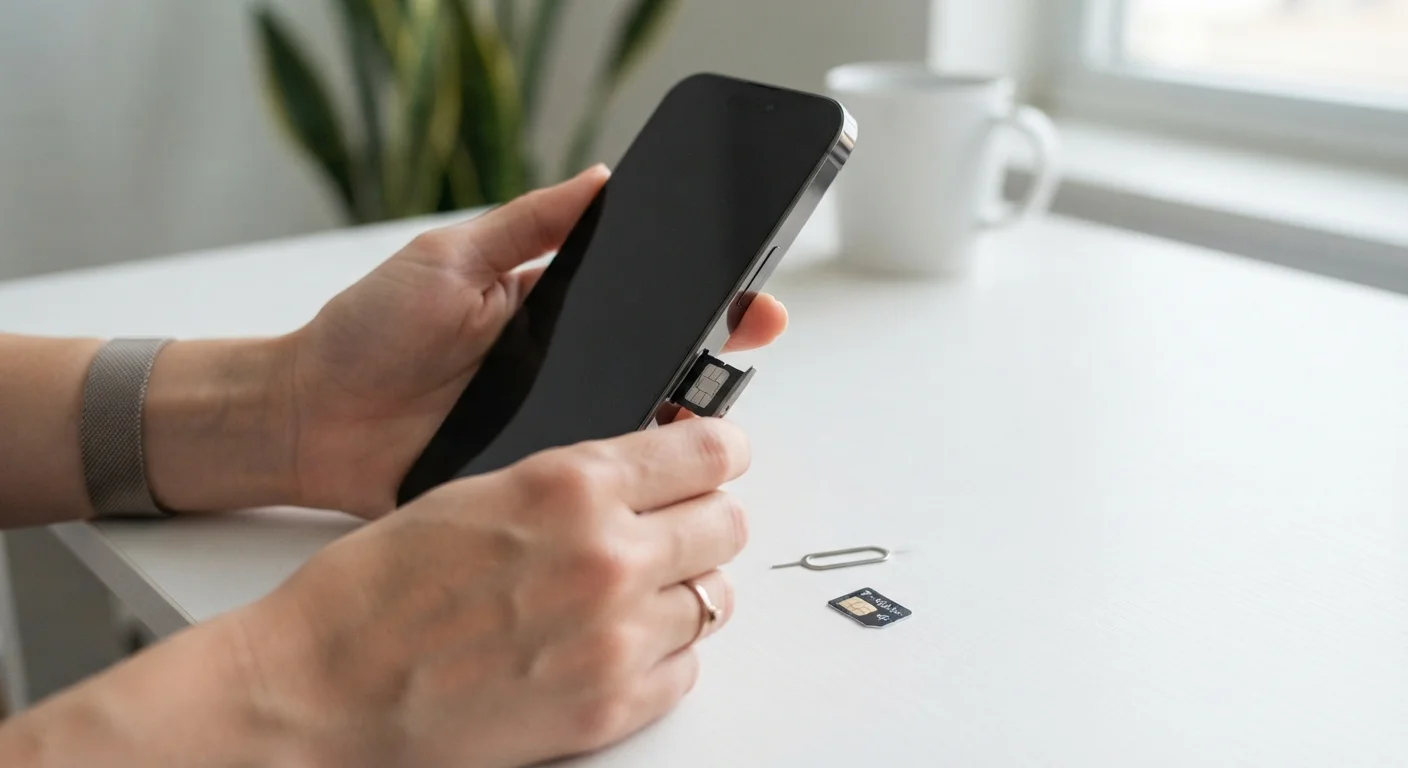
What to Check Before Switching Carriers and Keeping Your Phone

Photo: AscendWit.com | Explore Engaging Blogs. editorial

Band compatibility, SIM type, unlocking requirements — a practical checklist for anyone thinking about moving to a new carrier.

Key Takeaways

  • Your phone must be unlocked before it can work on a different carrier's network.
  • Band compatibility — the radio frequencies a phone supports — determines whether you'll get full 4G or 5G service.
  • SIM type matters: some newer carriers require eSIM, while older phones only accept physical SIM cards.
  • Porting your existing number to a new carrier requires your account number and a PIN from your current provider.
  • Checking these factors before you switch prevents unexpected dead zones or a phone that simply won't activate.

Why These Checks Matter Before You Switch

Switching wireless carriers while keeping your current phone sounds straightforward — but a handful of technical details can turn a smooth transition into a frustrating one. Your phone might not activate, or it could activate but deliver weak signal because it doesn't fully support the new network's frequencies.

This checklist walks you through every factor worth verifying before you commit. It pairs naturally with our explainer on locked vs. unlocked phones, which covers the concept in more depth if you're new to it. And if you're also weighing a full phone upgrade, see the complete picture on smartphone ownership for broader context on costs and trade-offs.

Required

Your phone's Settings app

Used to find your exact model number, IMEI, and SIM type under 'About Phone' or 'General > About'.

Required

Carrier coverage map

Used to verify signal strength and network type (4G/5G) at your home, workplace, and regular locations.

Required

Current carrier's account portal or app

Used to retrieve your account number, port-out PIN, and device unlock status.

Required

Phone manufacturer's spec page

Used to confirm which frequency bands your specific model supports so you can match them against the new carrier's network.

Optional

IMEI checker tool

Used to verify whether your device is flagged as locked, reported lost or stolen, or tied to an active installment plan.

The Pre-Switch Checklist

Work through each group below before you request a SIM from your new carrier or port your number. Most checks take only a few minutes with your phone in hand.

Unlock Status

Confirm your phone is unlocked by contacting your current carrier directly or dialing their customer service line and asking for your device's unlock status. Must
Verify any installment plan or promotional financing on the device is fully paid off, since most carriers will not unlock a phone with an outstanding balance. Must
Request an unlock from your carrier in writing (via chat or email) so you have a record if issues arise during activation. Should

Band and Network Compatibility

Look up your phone's exact model number (found in Settings > About Phone) and cross-reference its supported frequency bands against the new carrier's published network bands. Must
Check whether your phone supports the new carrier's mid-band 5G frequencies (commonly around 2.5 GHz or 3.7 GHz), not just low-band 5G, to ensure you get the speeds advertised. Should
Confirm at minimum that your phone supports the new carrier's primary LTE (4G) bands so you have reliable fallback coverage when 5G isn't available. Must
Check the new carrier's coverage map for the specific ZIP codes where you use your phone most — home, work, and frequent travel routes. Must

SIM Type

Determine whether your phone uses a physical nano-SIM, an eSIM (a built-in digital SIM), or supports both — this information is listed in your phone's specs or under Settings > About. Must
Confirm the new carrier supports eSIM activation if your phone is eSIM-only, as not all smaller or prepaid carriers have eSIM infrastructure in place. Must
Order the correct physical SIM card size from the new carrier ahead of time if your phone requires one, so you're not waiting on shipping after you've already canceled your old plan. Should

Account and Number Portability

Retrieve your current carrier account number and port-out PIN (sometimes called a transfer PIN) — available via your carrier's app, website account page, or customer service. Must
Verify the name and billing address on your current account match exactly what you'll enter with the new carrier, as mismatches can stall or reject a number port. Must
Do not cancel your current service before the number port completes — cancellation before transfer causes your number to be released and potentially lost. Must
Check whether your current plan has an early termination fee or contract end date that would trigger a penalty if you leave before it expires. Should

Final Readiness

Back up your phone's data — contacts, photos, app data — before making any SIM or carrier changes, as some activation steps can cause a device reset. Must
Disable any device financing or auto-pay tied to your old carrier account so unexpected charges don't appear after the switch. Should
Test the new SIM and make a call, send a text, and load a webpage on mobile data before fully closing your old account. Must

Never Cancel Your Old Plan First

Canceling your current carrier account before the number port completes will cause your phone number to be released back into a pool — and recovering it afterward is rarely possible. Always initiate the port from the new carrier's side and wait for confirmation that it has fully transferred before touching your old account.

After You've Checked Everything

Once you've confirmed unlock status, band compatibility, and SIM type, the actual switch is mostly administrative. Contact your current carrier for your account number and transfer PIN — you'll need both to port your existing phone number. Keep your current service active until the port completes; canceling early can make number transfer significantly harder.

If you're also setting up a new device at the same time, our guide to setting up a new smartphone without losing your data walks through transferring contacts, photos, and apps cleanly. For a different kind of service decision, our home internet checklist applies similar pre-commitment thinking to broadband plans.

Prepaid and MVNO Plans Have Different Rules

Mobile Virtual Network Operators (MVNOs) — smaller carriers that lease network access from major providers — sometimes have stricter device compatibility requirements or limited eSIM support. If you're switching to a prepaid or budget carrier, verify device compatibility directly on that carrier's website rather than assuming it works because the underlying network does.

Technology Editorial Team

AscendWit.com | Explore Engaging Blogs.

Technology Editorial Team is the collective byline for our editorial team and contributor network. Articles published under this byline or an editorial pen name are researched, written, and reviewed according to our editorial standards for clarity, consistency, and independence before publication.

Smartphones ExplainedHome InternetEveryday Gadgets
View author profile

The content on this site is for informational purposes only and is not a substitute for professional advice. Always consult a qualified professional for guidance specific to your situation.