
Tablet or Laptop: Thinking Through the Right Tool for Your Needs

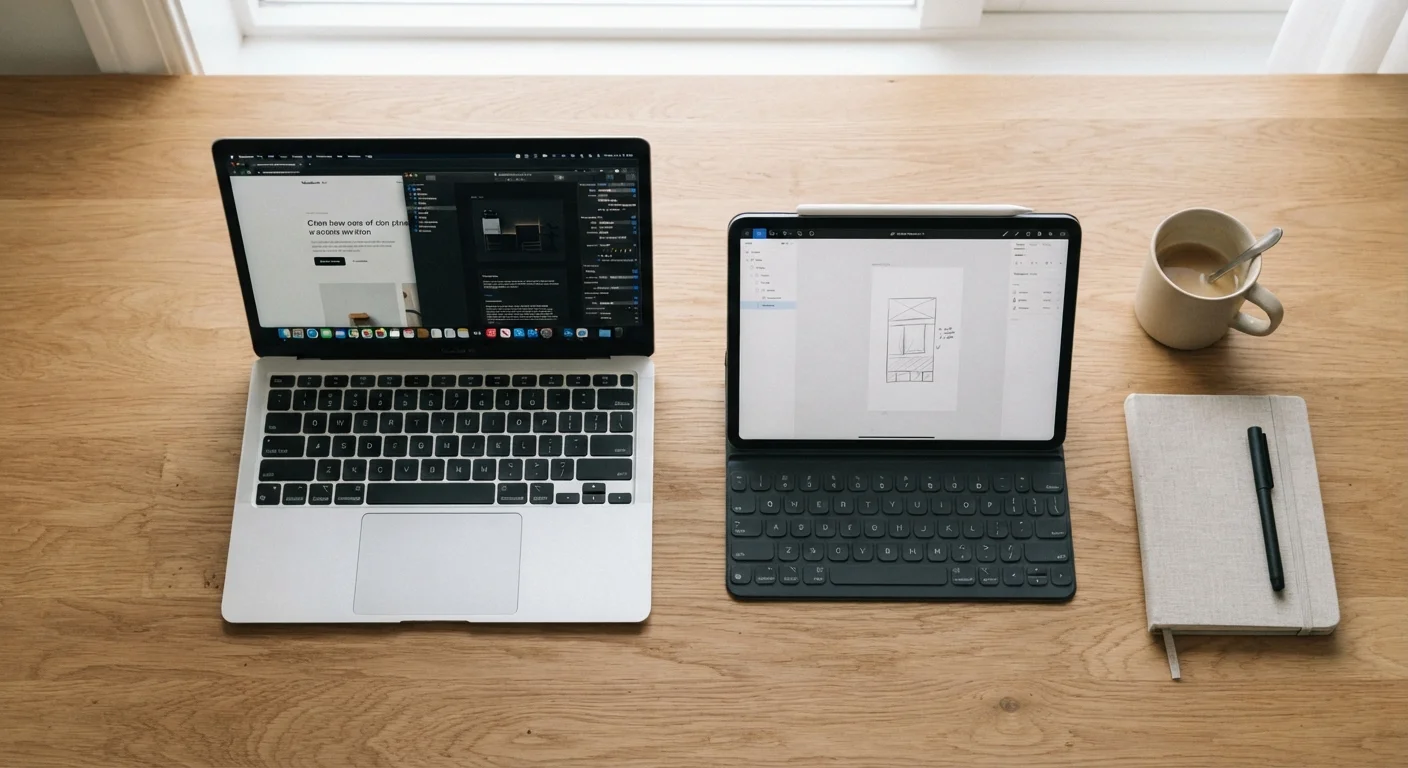
Photo: AscendWit.com | Explore Engaging Blogs. editorial
Key Takeaways
- Tablets excel at media consumption, casual browsing, and portability, while laptops handle demanding, sustained work tasks better.
- The right choice depends heavily on your daily workflows, not just specs or price.
- Many people benefit from owning both, but a single well-chosen device can cover most everyday needs.
- Keyboard and software compatibility are often the deciding factors for productivity-focused users.
- Consider how long you expect to use the device - laptops and tablets age differently.
Why This Question Is Harder Than It Looks
A few years ago, the tablet-vs-laptop debate had an easy answer: laptops were for work, tablets were for fun. That line has blurred considerably. Tablets now come with keyboard cases, stylus support, and desktop-class apps. Laptops have gotten thinner and lighter. Some hybrid devices try to be both at once.
This overlap makes choosing feel harder, but it also means the right question isn't "which is more powerful?" - it's "which fits the way I actually use technology day to day?" Matching a device to your real habits matters more than chasing specs. For a broader view of gadget ownership and longevity, see our guide to gadget lifespans.
What Tablets Do Well - and Where They Fall Short
Tablets shine in specific situations. They're lightweight, easy to hand to a child or prop on a nightstand, and the touchscreen interface is intuitive for browsing, reading e-books, streaming video, or making video calls. Battery life on most modern tablets is genuinely impressive compared to many laptops.
Where tablets struggle is sustained productivity. Even with a keyboard accessory, switching between apps, managing files, and working in software that requires precise mouse input can feel clunky. Some professional applications - certain design tools, full versions of accounting software, many coding environments - are either unavailable on tablet platforms or offer limited functionality compared to their desktop counterparts.
Try Before You Commit
If you already spend significant time managing your phone and its ecosystem, keep in mind that tablets often run the same operating system - which can mean a familiar experience, but also the same app-store limitations.
What Laptops Do Well - and Where They Fall Short
Laptops are built around a traditional computing model: a physical keyboard, a trackpad or mouse, a file system you can navigate freely, and the ability to run full desktop software. For anyone who writes frequently, builds spreadsheets, edits video professionally, or works in browser-heavy environments with dozens of tabs open, that architecture is a significant advantage.
The trade-offs are weight, bulk, and sometimes battery life - though these gaps have narrowed. Laptops are also typically the longer-lived productivity investment; their software ecosystems tend to receive updates for longer periods, and they're easier to repair in some configurations. Our article on when to repair or replace common gadgets covers this in more depth.
| Tablet | Laptop | |
|---|---|---|
| Portability | Very light, easy to carry anywhere | Lighter than before, but bulkier |
| Typing comfort | Requires add-on keyboard | Built-in keyboard, always ready |
| Software availability | App store model, some gaps | Full desktop software access |
| Touch interface | Native, intuitive touchscreen | Available on some, not optimized |
| Battery life | Often 10-12+ hours typical | Varies widely, 6-12+ hours |
| Repairability | Generally limited | Varies; some models more repairable |
| Learning curve | Simple, intuitive for most users | Familiar to most, more complex |
The Questions That Actually Decide It
Rather than comparing hardware features, run through a few honest questions about your habits:
- Do you type for extended periods? If yes, a physical keyboard that's always attached - not an add-on - makes a real difference in comfort.
- What software do you actually need? If your workflow depends on specific desktop applications, check whether they run on tablet platforms before assuming a tablet can replace your current setup.
- Where will you use it most? A tablet is easier to use on a couch, in bed, or standing up. A laptop is better suited to a desk or table where you can open the lid and type properly.
- Who else might use it? Tablets tend to be simpler for young children or older adults unfamiliar with traditional computing interfaces.
If you're also weighing which mobile ecosystem makes sense for you more broadly, our Android vs. iOS comparison covers how platform choice affects tablets too, since many tablets run the same systems as phones.
~53%
US adults who own a tablet
According to Pew Research Center survey data, roughly half of American adults report owning a tablet device.
~80%
US adults who own a laptop or desktop
Pew Research Center data consistently shows laptop and desktop ownership remains higher than tablet ownership among US adults.
When Owning Both Makes Sense
For some people, the answer is genuinely "both" - not out of indulgence, but because the use cases don't overlap as much as they seem. A laptop handles work during the day; a tablet sits on the coffee table for reading and streaming in the evening. The cost of running two devices is real, but so is the convenience if each device is doing what it does best.
If you're leaning toward a single device that tries to do everything, be honest about which compromises you can live with. A tablet with a keyboard case is still a tablet - the software and interface are designed for touch first. A lightweight laptop sacrifices some portability compared to a tablet but almost never sacrifices software access. Tracking your screen habits across whichever device you choose can also reveal patterns worth knowing about - see our article on what screen time tracking actually measures.
This article provides general consumer technology information for educational purposes. Specific product capabilities, software availability, and hardware performance vary by model and may change over time. Verify details with manufacturers or retailers before making a purchase.
The content on this site is for informational purposes only and is not a substitute for professional advice. Always consult a qualified professional for guidance specific to your situation.