
Screen Time Tracking Features on Phones and Tablets: What They Measure and What They Miss

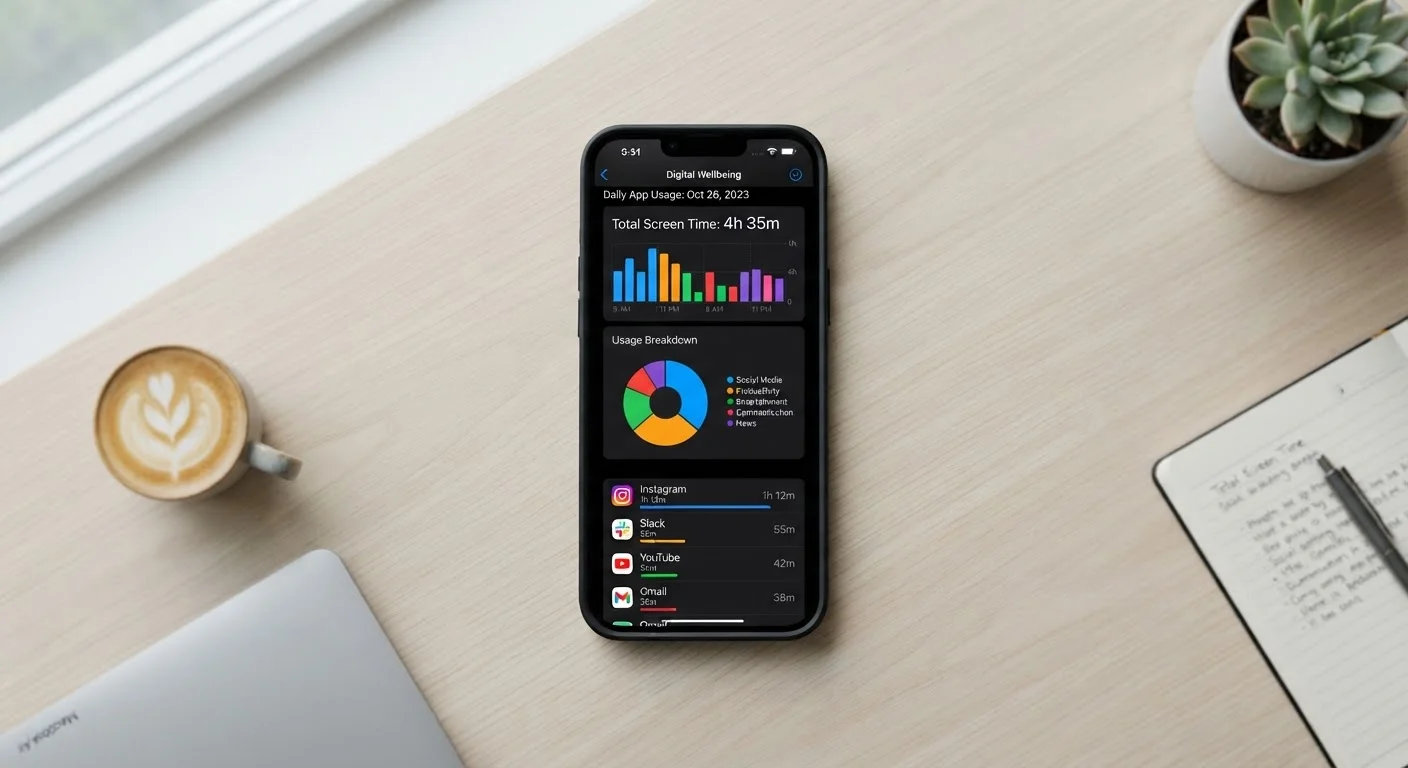
Photo: AscendWit.com | Explore Engaging Blogs. editorial
Key Takeaways
- Screen time tools measure minutes spent in apps, but cannot assess how meaningfully you used that time.
- Both iOS Screen Time and Android Digital Wellbeing have significant blind spots, including browser activity and cross-device usage.
- Limits and scheduled downtime are easy to bypass, reducing their effectiveness as behavioral guardrails.
- The data is most useful as a starting point for reflection, not a precise behavioral diagnosis.
- Understanding what these tools miss helps you use them more thoughtfully.
Free and built in - no extra app needed
Screen Time and Digital Wellbeing come pre-installed on modern iOS and Android devices, making them accessible to anyone without requiring additional downloads, accounts, or subscriptions.
Reveals usage patterns most people underestimate
Research consistently shows people misjudge their own phone use. A concrete weekly total - even an approximate one - tends to prompt more honest self-assessment than memory alone.
Breaks usage down by app category
Seeing time divided into Social, Entertainment, Productivity, and similar categories gives a rough but practical view of where attention is going across a typical day or week.
Notification counts highlight interruption load
Tracking how many notifications arrive daily makes visible a friction cost most people feel but rarely quantify, and often motivates adjustments to notification settings.
Parental controls add oversight for families
Both platforms include family-sharing features that let parents view children's usage, set limits remotely, and approve or deny time extension requests from their own device.
Measures time spent, not quality of use
Duration is the only metric available. The tools cannot distinguish between a focused learning session and mindless scrolling - both register as identical minutes in the same app.
No cross-device aggregation
Phone and tablet usage are tracked separately with no combined view, so users who move between devices throughout the day get a fragmented and potentially misleading picture of total screen exposure.
Browser activity is poorly categorized
Time in a mobile browser logs as a single app entry with no breakdown by website, meaning social media browsed through the web rather than an app goes largely unaccounted for in category summaries.
Limits are easy to override with one tap
Both iOS and Android allow users to dismiss daily limits almost instantly, making the guardrails feel more like soft reminders than genuine restrictions for anyone motivated to bypass them.
Cannot track TV, computer, or gaming console time
Screen time tools are device-specific. Hours spent on laptops, smart TVs, or gaming systems are invisible to phone-based trackers, potentially underrepresenting total daily screen exposure.
Data resets and historical depth is limited
Most built-in tools offer only a rolling four-week history, making it difficult to identify longer-term trends or compare habits across seasonal changes or life events.
What Screen Time Tools Actually Track
Apple's Screen Time (available on iPhones and iPads) and Google's Digital Wellbeing (on Android phones and tablets) are the two dominant built-in tracking systems available to most US consumers. Both tools share a core set of measurements: total time spent with a device unlocked, time broken down by individual app or app category, how many times you pick up the device each day, and how many notifications you receive.
These dashboards present this data visually - usually as daily and weekly bar charts - and let you set daily app limits, schedule "downtime" periods when most apps are locked, and review usage trends over time. For a free, always-on tool that requires zero setup, that's a reasonable starting package.
On the Smartphones Explained hub, you'll find broader guidance on using your device more intentionally. Screen time tracking is one piece of that picture, but understanding its mechanics matters before drawing conclusions from the numbers.
4-5 hrs
Average daily US adult smartphone use
Multiple surveys and mobile analytics firms consistently estimate US adults spend roughly four to five hours per day on their smartphones, though self-reported estimates tend to run lower.
80+
Average daily phone pickups
Industry analyses of device telemetry suggest many smartphone users unlock or glance at their device more than 80 times per day, a figure most people find surprising when first seen.
The Genuine Advantages
The strongest argument for using these tools is simple: most people underestimate how much time they spend on their phones. Having a concrete number - even an imperfect one - tends to prompt more honest self-reflection than relying on memory alone.
Free and built in - no extra app needed
Screen Time and Digital Wellbeing come pre-installed on modern iOS and Android devices, making them accessible to anyone without requiring additional downloads, accounts, or subscriptions.
Reveals usage patterns most people underestimate
Research consistently shows people misjudge their own phone use. A concrete weekly total - even an approximate one - tends to prompt more honest self-assessment than memory alone.
Breaks usage down by app category
Seeing time divided into Social, Entertainment, Productivity, and similar categories gives a rough but practical view of where attention is going across a typical day or week.
Notification counts highlight interruption load
Tracking how many notifications arrive daily makes visible a friction cost most people feel but rarely quantify, and often motivates adjustments to notification settings.
Parental controls add oversight for families
Both platforms include family-sharing features that let parents view children's usage, set limits remotely, and approve or deny time extension requests from their own device.
App-category breakdowns are particularly practical. Knowing that you spent three hours in "Social" apps versus 45 minutes in "Productivity" apps gives you a rough framework for evaluating your habits, even if the categories aren't perfect. The notification count feature is similarly eye-opening: seeing 200-plus daily interruptions quantified often motivates people to revisit notification and permission settings they've never adjusted.
Where the Data Falls Short
The limitations are significant enough that over-relying on screen time numbers can be misleading.
Measures time spent, not quality of use
Duration is the only metric available. The tools cannot distinguish between a focused learning session and mindless scrolling - both register as identical minutes in the same app.
No cross-device aggregation
Phone and tablet usage are tracked separately with no combined view, so users who move between devices throughout the day get a fragmented and potentially misleading picture of total screen exposure.
Browser activity is poorly categorized
Time in a mobile browser logs as a single app entry with no breakdown by website, meaning social media browsed through the web rather than an app goes largely unaccounted for in category summaries.
Limits are easy to override with one tap
Both iOS and Android allow users to dismiss daily limits almost instantly, making the guardrails feel more like soft reminders than genuine restrictions for anyone motivated to bypass them.
Cannot track TV, computer, or gaming console time
Screen time tools are device-specific. Hours spent on laptops, smart TVs, or gaming systems are invisible to phone-based trackers, potentially underrepresenting total daily screen exposure.
Data resets and historical depth is limited
Most built-in tools offer only a rolling four-week history, making it difficult to identify longer-term trends or compare habits across seasonal changes or life events.
Perhaps the most fundamental gap is that these tools measure duration, not context. Thirty minutes reading a long-form news article and thirty minutes scrolling a social feed register identically. A video call with a distant family member looks the same as thirty minutes of mindless autoplay. The tools have no way to distinguish between active, purposeful engagement and passive consumption.
Cross-device blind spots are another structural problem. If you start reading on your phone and continue on a tablet, each device tracks only its own usage independently. There's no unified picture - a limitation worth keeping in mind if you move between devices throughout the day, as explored in the tablet vs. laptop comparison.
Browser-based activity is also undercounted. Time spent in a mobile web browser typically logs only as generic "Safari" or "Chrome" time, with no breakdown of which sites you visited or for how long. A user who browses social media through a browser rather than an app will see artificially low social media numbers in their report.
Screen Time on Shared or Work Devices
Limits Are Easy to Bypass - By Design and by Habit
Both platforms allow users to override daily app limits with a single tap and a brief confirmation. On iOS, a child can request more time and a parent can approve remotely - but a determined teenager can also simply tap "Ignore Limit for Today" if parental controls aren't fully locked down. This isn't a bug so much as a design philosophy: the tools are framed as nudges, not hard locks.
Scheduled downtime has similar workarounds. Built-in apps like the phone dialer and messaging are typically exempt from downtime restrictions by default, and users can whitelist additional apps. The practical result is that downtime often feels more porous than the name implies.
This parallels a broader challenge familiar from personal finance: tracking spending is only as useful as the behavioral changes it inspires. The trade-offs between manual and app-based tracking follow a similar logic - the tool itself doesn't change behavior; the reflection and follow-through do.
Using Screen Time Data More Effectively
Treat the weekly summary as a prompt for questions rather than a score. If social apps are consistently higher than you expected, ask yourself which specific moments in the day drive that usage - boredom, habit triggers, or intentional relaxation all call for different responses.
Combine the data with other signals. How do you feel after different types of device use? Are notifications interrupting focus at predictable times? Screen time numbers gain meaning when paired with that kind of honest self-observation, something the dashboard alone can't supply.
For households with children, the family sharing and parental oversight features add real value - but they work best when paired with open conversation rather than surveillance alone. The tools give parents a factual starting point for discussing digital habits without relying solely on self-reporting from kids.
Ultimately, screen time tracking is one lever among many for managing digital habits. It's worth using - just with clear eyes about what the numbers do and don't tell you.
The content on this site is for informational purposes only and is not a substitute for professional advice. Always consult a qualified professional for guidance specific to your situation.